What is Restricted Content Discovery (RCD) in SharePoint?
- Restricted Content Discovery (RCD) helps us limit discovery of content from specific SharePoint sites, including recently interacted files, in organization-wide search results and Microsoft 365 Copilot responses while those reviews are taking place.
- RCD removes AI-powered entry points from these SharePoint sites.
- Users don’t see entry points such as the Copilot button, AI actions menus (including creating agents), or Create pages with AI.
- This restriction helps reduce the likelihood of accidental discovery of content while permissions and wgovernance controls are being evaluated.
- We can enable Restricted Content Discovery for our site from the SharePoint admin center or by using PowerShell.
Steps to enable Restricted Content Discovery for our site from the SharePoint admin center
- Navigate to SharePoint admin center.
- Here I’ll navigate to admin center of My development environment – https://knowledgejunction1-admin.sharepoint.com
- From Active sites, select the site which we want to configure.
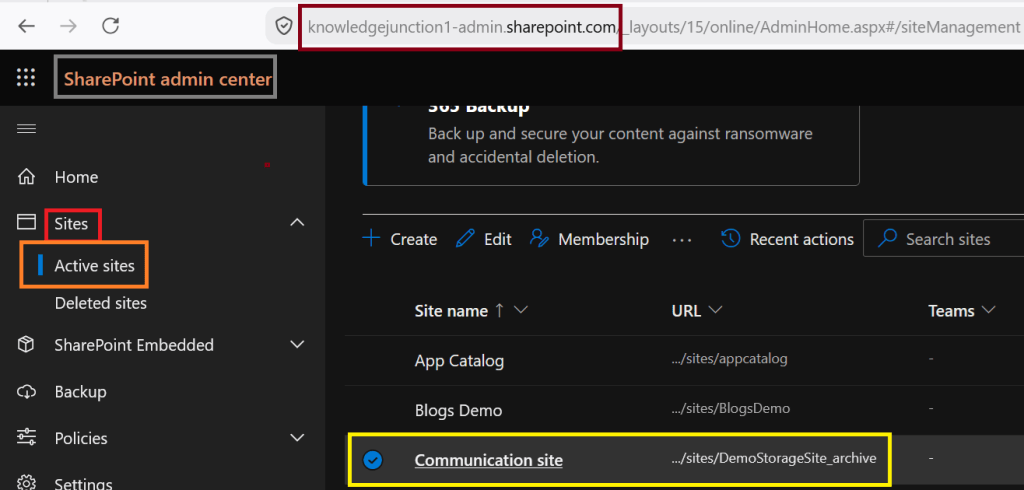
- Click on the site and go to “Settings” tab as shown in image below.
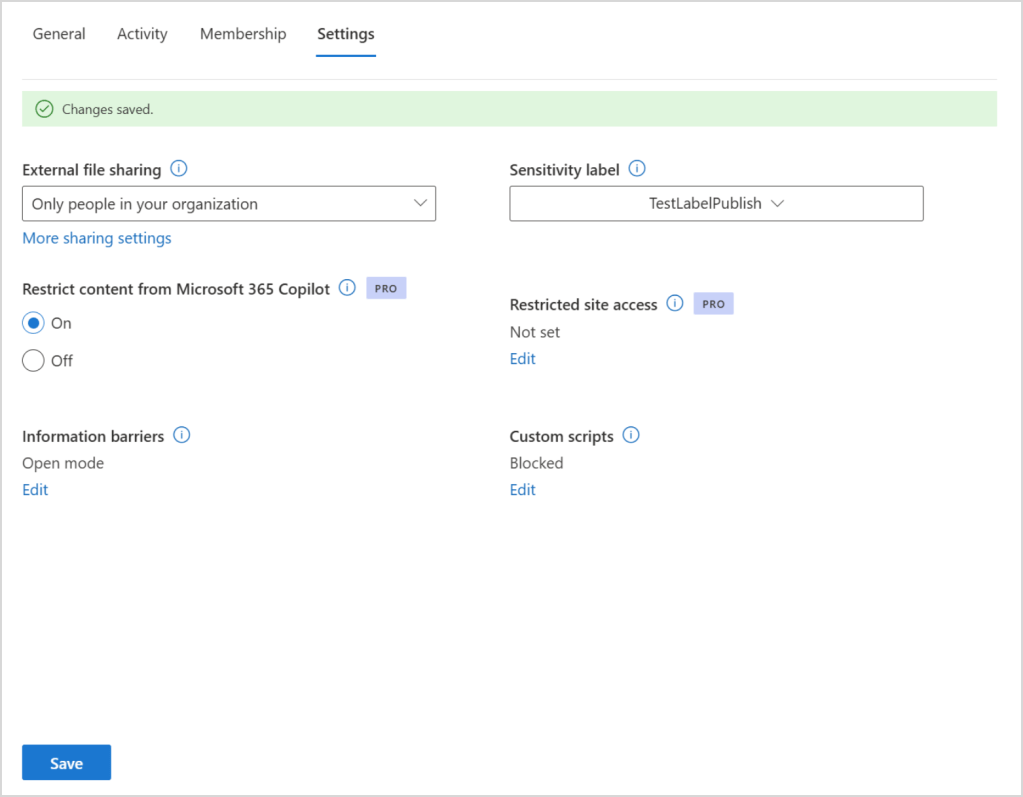
- As shown in above image, we have an setting – “Restrict content from Microsoft 365 Copilot“
- Update the setting and click on “Save” button.
Thanks for reading!
Stay tuned for SharePoint online features.
Feel free to discuss any SharePoint online feature.


Leave a Reply